


You finally want to print phone holders, board game miniatures, or a missing dishwasher part yourself, and are therefore looking for a 3D printer for beginners. The good news: modern entry-level models are affordable, quiet, and can be operational in just one evening. The less good news: those who start unprepared get stuck in slicer settings, filament choices, and mysterious misprints. In this practical guide, supplemented by exactly one list, AC PRODUCTS guides you through all the essential decisions so that your first print is an immediate success.
FDM is the logical first step
The market has roughly two technologies. FDM printers melt plastic wire and build up layer by layer; resin printers cure UV-sensitive resin into ultra-fine detail. Resin smells, is toxic, and requires post-processing with alcohol and a UV lamp, while FDM only needs PLA wire and a spatula. That is why almost every 3D printer for beginners chooses FDM: less hassle, a larger build volume, and a wider choice of materials.
Hardware you can rely on
A solid 3D printer for beginners—think of the Creality Ender 3 V3 KE from the AC PRODUCTS range—offers a build volume of around 220 × 220 × 250 mm, a direct drive extruder for flexible filaments, and a heated PEI bed that releases prints automatically as soon as it cools down. More important than flashy specs is factory calibration: only a model with pre-checked nozzle temperature, squareness, and firmware security will print stably. Spare parts must also be deliverable within a day; AC PRODUCTS keeps nozzles, thermistors, and V-rollers in stock as standard.
Slicer software without the stress
The printer cannot do anything with a 3D model until you send it through a slicer. Free packages like Cura or PrusaSlicer contain pre-configured profiles: you choose the printer type, select the material, and the software determines layer height, infill percentage, and support structures. AC PRODUCTS publishes a tested Cura profile for every 3D printer for beginners; import it, select PLA, and start printing. Layer heights of 0.20 mm are ideal for a first series of models: fast enough to see progress, smooth enough to retain details.
Filament choice: PLA first, exotic later
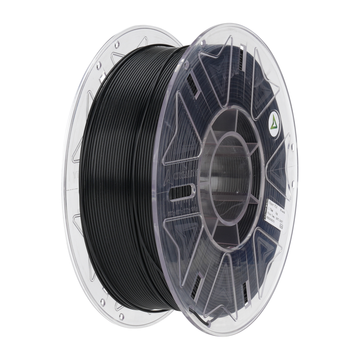
PLA melts around 200 °C, barely shrinks, and doesn't smell: perfect for a 3D printer for beginners. Keep an opened spool in a sealed box with silica gel, otherwise, the material absorbs moisture, and you will get crackling, porous layers. Once you have mastered PLA, move on to PETG for heat resistance or TPU for shock absorption. Nylon and polycarbonate should stay in the closet for now; they require higher temperatures and a closed chamber.
The first layer is king
Most beginner mistakes occur in the first minute of a print, when the filament touches the glass or PEI plate. Let the bed preheat, set the nozzle at a 0.2 mm distance using the paper test, and print a 100 × 100 mm square. Only if the line flows perfectly without folds is your 3D printer for beginners correctly leveled. Does the print stick too strongly? Spray the bed with isopropyl alcohol after it has cooled and use a putty knife with a rounded corner.
Safety above all
Even a compact 3D printer for beginners reaches nozzle temperatures above 200 °C. Never place the device on carpet or in the bedroom, do not print unattended at night, and ensure firmware with thermal runaway protection. All models supplied by AC PRODUCTS are checked for correctly configured sensors before shipment.
Maintenance in five minutes
The only list in this article; perform every fifteen print hours:
- Lubricate: a drop of PTFE oil on the Z-spindle and linear guides.
- Check: V-rollers should turn without play but not rattle loosely.
- Tighten: feel if the hotend bolts are still tight; a loosening heat-break causes leaks.
- Clean: remove plastic residue around the nozzle with a brass brush at 200 °C.
Five minutes of work; in return, your 3D printer for beginners will remain trouble-free for months.
Common beginner problems
Is spaghetti ending up under the bed? Then the nozzle was too high or the extruder was slipping. Are you getting "elephant feet" or bulging bottom layers? Lower the bed temperature or slightly increase the Z-offset. You can fix stringing by increasing retraction and setting the nozzle ten degrees hotter, so the filament breaks faster. Every misprint is a lesson; note the cause and solution in a logbook.
Upgrading: Experience first, mods later
After ten successful prints, it’s tempting to install auto bed leveling or Klipper firmware. Only do this once you understand the standard behavior; otherwise, you will never know whether a fault lies with the printer or the mod. AC PRODUCTS sells upgrade kits, but recommends that every 3D printer for beginners prints at least two spools of PLA before making the first hardware adjustment.
Community help saves hours
Join a Discord server, watch YouTube tutorials, and ask questions with photos of your failed layer. In the AC PRODUCTS community, volunteers answer within the hour why your ‘Benchy’ is missing ears or why PETG is clumping on the nozzle. A single screenshot of the temperature graph beats an evening of Googling.
What does it really cost to get started?
Count on about € 320 for everything you need in the first few weeks: a reliable entry-level printer, two kilos of PLA filament, a basic toolkit, and a bottle of isopropyl alcohol to keep the print bed clean. With this, you can print roughly seventy useful items or prototypes before needing to order new supplies—an investment that pays for itself quickly once you conjure up the first broken clip, handle, or phone stand from your own printer.
Conclusion: Start small, think big
A 3D printer for beginners opens up a world of repairs, gadgets, and creative projects. With an FDM model, PLA filament, and a smart maintenance rhythm, you will be pulling usable objects from the printer within the first week. AC PRODUCTS supplies not only the hardware but also profiles, spare parts, and community support to make your learning process run smoothly. Order today, start the ‘Bed level wizard’ tomorrow, and discover how quickly a digital idea turns into a tangible object on your desk.


Leave a comment