


Whether you are looking for your first 3D printer or want to set up a production line with multiple machines: within Creality, there is a model to fit every need. From affordable entry-level models that let you explore the world of FFF/FDM to quiet CoreXY workhorses with automatic calibration and filament monitoring. In this guide, AC PRODUCTS outlines the most relevant categories, including strengths, points of attention, and tips to make the right choice for your applications.
What to look for before choosing?
Start with your goal: Prototyping, cosplay/props, functional parts, small-batch production, or education. Translate that into requirements for build volume, material compatibility (PLA, PETG, TPU, ABS/ASA, nylon, glass/carbon-filled blends), desired speed, noise level, and necessary automation. Creality offers various mechanics (bed slingers vs. CoreXY), extruders (Bowden vs. direct drive), and features such as auto bed leveling, input shaping, and filament runout detection. This framework makes comparing meaningful.
Entry-level and education: Ender series
The Ender line is Creality’s flagship for beginners. Models like the Ender 3 variants combine a low purchase price with a huge community and many modification options.
Strength: affordable, easy to maintain, enormous amount of tutorials and upgrade kits.
Note: Bowden extruders can be less forgiving with flexible filaments; manual or simple ABL requires some attention during the first layers. When to choose: For beginners, makerspaces, and education where learning/experimenting is important and print speed is less critical.
Quiet and refined printing at home: “S” and “Neo” variants
Newer Ender variants with quieter drivers, better frames, and integrated auto-leveling noticeably improve the experience. Strength: Higher first-time success rate, quieter in the living room, less tinkering. Note: choose a model with a reliable ABL sensor and sturdy Y-axis guidance; do not skimp on a decent glass/PEI plate. When to choose: If you mainly print PLA/PETG/TPU and home comfort is important.
Speed and accuracy: CoreXY workhorses
For those for whom lead time and quality are priorities, the CoreXY models within Creality are interesting. The moving center of mass is smaller (only the bed moves in Z), which allows for higher accelerations and tighter corners. Strength: higher print speeds while maintaining quality, less ringing, more suitable for series runs. Note: Proper belt tension and frame squareness are crucial; preferably choose a model with input-shaping and resonance compensation. When to choose: For engineering prototypes, production jigs, and small series.
Large volume and cosplay: “Max” and “Plus”
Strength: less gluing or screwing after printing; impressive objects in one piece.
Note: large bed slingers require good first-layer control and temperature stability; consider an enclosure for ABS/ASA. When to choose: If object size is the deciding factor and you are willing to manage the environment (drafts, temperature).
Materials: From PLA to fiber-reinforced
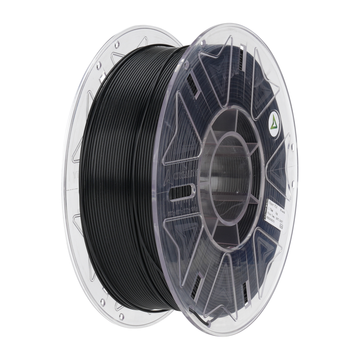
Most Creality printers are set up for PLA and PETG as standard. For TPU, direct drive is ideal. For ABS/ASA, a closed housing is recommended; check if the model has an enclosure option. For glass or carbon fiber-filled materials, a hardened nozzle (hardened steel or ruby) is essential to prevent wear. Tip: Combine with moisture control (drybox) for nylon and copolyesters; this improves layer adhesion and surface quality.
Quality of life: The features that count
- Auto bed leveling (ABL): Saves time and increases the success rate of the first layer.
- Filament runout and “power loss resume”: Useful for longer prints.
- Direct drive extruder: Better for flexibles and consistent retractions.
- Input shaping/pressure advance: Higher speed without loss of quality.
- AMS/Multimaterial (if supported): For color changes or soluble supports, pay attention to extra calibration requirements.
Workflow and slicer
Bambu Studio and PrusaSlicer have set the bar high; fortunately, most Creality models integrate well with Cura and PrusaSlicer profiles. Choose a proven profile per material as a starting point and optimize per part afterwards (wall thickness, infill, cooling). For series production, a network workflow (OctoPrint/Mainsail) and a print queue are convenient; when purchasing, look for LAN/Wi-Fi options or USB print convenience.
Service, upgrades, and TCO
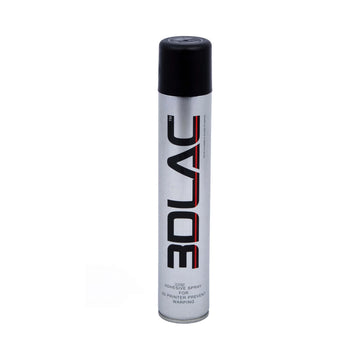
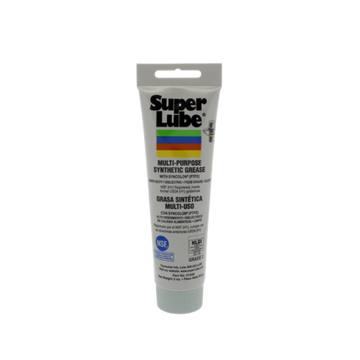
A low purchase price means nothing without parts availability. Creality has a large ecosystem of spare parts, nozzles, hotends, and community mods. For Total Cost of Ownership, count on: a set of nozzles (copper + hardened), spare PTFE, lubricants, PEI plates, and for intensive use, an extra extruder gear set. AC PRODUCTS supplies parts and advises on meaningful upgrades (hardened nozzle for abrasives, bi-metal heatbreak, silent fans).
Why AC PRODUCTS
As a specialist in Creality, we help you from shortlist to your first successful print. We supply printers, maintenance kits, and optimized profiles per material. With our support, you avoid typical beginner mistakes and achieve professional repeatability from your machine park. From hobby to workhorse, we ensure your choice is right today and grows with you tomorrow.
Conclusion
Within Creality, you will find a wide range of printers, each with its own place: from accessible entry-level models to fast CoreXY systems for series production. By choosing clearly based on goal, material, and features, you avoid disappointment and maximize output quality. AC PRODUCTS helps you with honest advice, parts, and support, so that your next printer not only "can print," but also delivers exactly what you have in mind, every print again.
Discover the full range and possibilities directly at AC PRODUCTS.


Leave a comment