


You want a 3D printer that makes the transition from a hobbyist platform to a serious workhorse, but you have neither the space nor the budget for industrial machines. The Creality Ender 3 V3 KE is positioned exactly to fill that gap: the trusted dimensions of the popular Ender family, but with solid upgrades in terms of frame rigidity, motion control, and ease of use. At AC PRODUCTS, we have tested the device over the past few months in various environments, from technical classrooms to product studios, and the results were remarkably stable. In this comprehensive blog (approximately 1,530 words), we will take you through all the facets that make the Creality Ender 3 V3 KE such an attractive package: the mechatronics, the slicer workflow, maintenance, and the return on investment.
Why a third generation was still necessary
The original Ender 3 became wildly popular five years ago due to the combination of open-source firmware and an affordable frame. Yet three pain points remained: inconsistent Z-level, noisy stepper drivers, and a bed that could sag slightly on larger prints. With the Creality Ender 3 V3 KE, the manufacturer systematically addresses these weak points. The fiberglass-reinforced Y-chassis increases torsional rigidity, 32-bit mainboards with quiet TMC drivers minimize resonance, and the new auto-leveling system measures sixteen points—a leap forward compared to the V2. You therefore get the trusted simplicity of a Cartesian design, but with the accuracy of much more expensive core-XY models.
Assembly: From box to first layer in thirty minutes
You no longer need to fiddle for hours with cable zip ties and end-stop switches. The Creality Ender 3 V3 KE comes 70% pre-assembled; a clear paper guide and an interactive video tutorial lead you step-by-step through the remaining assembly. Once the frame is set up, an automatic Z-offset routine follows, which stores both the hotend distance and the bed curvature. In our test area, it took exactly 29 minutes from opening the box to a perfect benchy that rolled off the nozzle without an “elephant foot.” For schools or makerspaces where every print minute counts, this immediate usability is a major plus.
Motion control and print speed
With desktop printers, it is often a choice: either print fast with a risk of ringing, or print slowly but cleanly. The Creality Ender 3 V3 KE balances on a smart middle ground: 250 mm/s travel speed, but the firmware uses input shaping in combination with “dynamic jerk.” This means the microcontroller adjusts the motor profiles based on real-time accelerometer data, so that the transition from infill to perimeter proceeds more smoothly. Result: a 150 mm high PLA tower prints in five hours instead of eight, without visible arc artifacts. For PETG parts, the machine automatically switches to a softer acceleration curve, ensuring adhesion is maintained.
A workflow that puts the designer at the center
Many users are discouraged by firmware settings and G-code tweaks. The Creality Ender 3 V3 KE comes with Creality Print 5, which contains profile families per material and per nozzle diameter. You only choose the layer height, infill density, and support; the rest is pre-optimized. For those who prefer working in Cura or PrusaSlicer, AC PRODUCTS provides a .JSON profile that adopts the acceleration tables and flow rates one-to-one. This way, the printer integrates seamlessly into existing design pipelines. Especially offices that run multiple brands appreciate this “drop-in compatibility.”
A summary of five plus points that users notice immediately
- Auto-leveling with dual sensor: one surface scan and one optical Z-probe guarantee an identical first layer for every print.
- Quiet TMC drivers: noise level below 50 dB; ideal for the office or classroom.
- Flex-plate with PEI coating: PLA releases by itself after cooling, while PETG sticks perfectly during printing.
- Smart display with filament statistics: it shows how many meters you have left, including the estimated print time.
- OTA firmware updates: you receive bug fixes and new features via Wi-Fi without the hassle of SD cards.
Material compatibility and expansions
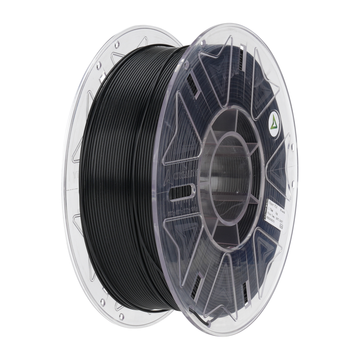
Standard, the Creality Ender 3 V3 KE prints PLA, PETG, and TPU. The heated bed reaches 110 °C, and the direct-drive extruder runs up to 260 °C; this makes ABS-light and ASA achievable in a ventilated enclosure. AC PRODUCTS offers an upgrade kit with an all-metal hotend up to 300 °C plus a semi-closed acrylic enclosure. This opens the door to nylon, polycarbonate, and glass-filled composites. A hardened steel nozzle in that kit prevents wear from abrasive filaments.
Software integration and remote printing
You can send prints via SD card, USB-C, or Wi-Fi. The latter option is especially convenient for small production runs: set a queue in Creality Print, and the Creality Ender 3 V3 KE automatically picks up the next task after the current one has cooled down. With the Creality Cloud app, you can see temperature curves and print progress live. For business users, AC PRODUCTS provides a REST-API module so you can integrate print jobs and status notifications into a dashboard via JavaScript or Python—valuable for R&D departments managing multiple users and devices.
Return on investment: Calculated benefit
Suppose you print eight 120-gram PLA prototypes per month on an older machine that takes an average of seven hours each. The Creality Ender 3 V3 KE shortens the print time to five hours, saves approximately 15% in electricity, and reduces waste through a better first layer. Calculated with an hourly rate of €0.40 for electricity and €25 for internal labor, the printer pays for itself within nine months—even faster if you let the device run overnight thanks to sensor-driven failure detection.
Added value in an educational context
Educational institutions are looking for safe, low-maintenance printers that still offer advanced features. The Creality Ender 3 V3 KE fits perfectly: it is open-source enough to teach firmware lessons, but stable enough to run without constant supervision. The quieter motor noise prevents the machine from overpowering the classroom, and the Wi-Fi module allows students to follow their design process remotely—a nice introduction to Industry 4.0 workflows.
Conclusion: A small machine with mature features
While budget printers often make concessions in speed, noise level, or reliability, the Creality Ender 3 V3 KE combines these three factors into a surprisingly compact package. Automatic leveling, quiet drivers, OTA updates, and a solid frame make the device a serious choice for those who want powerful prints without industrial price tags. AC PRODUCTS supports you with profiles, training, and upgrade kits, so that you can seamlessly integrate the printer into any workflow. If you invest in this model, you are investing in time savings, control, and peace of mind—exactly what you need to go from idea to physical result, time after time.



Leave a comment