


Creality is a well-known name in the 3D printing world. They conquered the market with their Ender series, which stood (and still stands) for a good price-quality ratio. With the Creality Ender 3 V3 KE, they have introduced a model that builds on previous successes while adding new features. Think of a more stable frame and better accuracy, giving you sharper prints. Whether you want to make jewelry, miniature figures, or functional parts: this Ender printer is designed to get the job done without having to break the bank.
What is new about the Creality Ender 3 V3 KE?
Compared to older Ender models, the Creality Ender 3 V3 KE brings several improvements. For instance, the frame is not only sturdier but also more cleverly constructed to reduce vibrations. The result: nicer, more consistent prints. Additionally, attention has been paid to the extruder and firmware, meaning you are less likely to deal with clogs or filament issues. If you previously had to manually adjust the print bed on older Enders, that has now become much easier. Beginning users in particular find this a huge relief: a properly leveled bed means fewer failed prints and thus less frustration.
From hobbyist to pro, everyone can use it
The Creality Ender 3 V3 KE is popular with a wide audience. Hobbyists appreciate that for a relatively low price, they get a serious 3D printer at home that allows them to do all kinds of creative projects. Think of cosplay accessories, small tools, or decorative designs. At the same time, professionals also see value in this model as an additional printer for test prints or short production runs. Thanks to its solid build and excellent specifications, you can even make it work in a small studio or workshop. It is therefore no surprise that this Ender printer is so often recommended as an entry-level model and as a handy addition to an existing set-up.
A printer that won't leave you stranded
If you are buying a 3D printer for the first time, it can all be quite overwhelming. What about software installation, filament settings, and preventing failed prints? Fortunately, the Creality Ender 3 V3 KE has been made as user-friendly as possible from the start. The included manual is clear, the online community is large, and the printer itself has various built-in conveniences. For example, the build platform heats up quickly, which helps the first print layer adhere better. And let's be honest: a well-adhering first layer prevents half of all potential print problems.
Wide range of materials, many possibilities
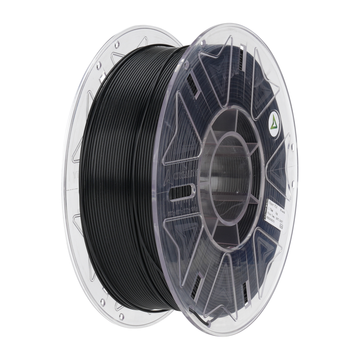
One of the strong points of the Creality Ender 3 V3 KE is the freedom to choose materials. PLA is often the first choice: easy to print, barely any odor, and perfectly suitable for countless projects. But do you need more, for example, a sturdy and heat-resistant filament? Then you can also easily work with PETG or even ABS (although ABS can be trickier due to shrinkage). Do you want to try the flexibility of TPU? That is also possible, provided you have the right settings and a bit of practice. This way, you can always try new things, whether you want to print jewelry, scale models, or functional parts.
Taking a step further with software and firmware
Anyone getting serious about 3D printing will quickly discover that the included software is just the beginning. Many people opt for Cura, PrusaSlicer, or another slicer that offers a bit more freedom and control. The Creality Ender 3 V3 KE is perfectly prepared for this. You can also upgrade or tweak the firmware on the printer itself, allowing you, for example, to enable mesh bed leveling or add other handy features. If you are not sure how all this works, you can turn to AC PRODUCTS for advice or consult the large online community that surrounds it. The beauty is: with a few adjustments, you can sometimes elevate your print results to a surprisingly high level.
Maintenance: Not difficult, but important
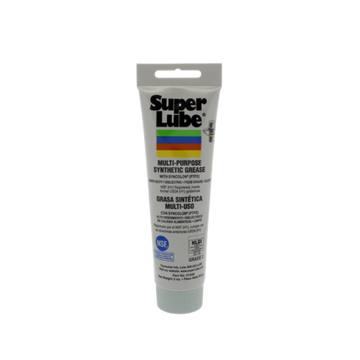
Like any machine, this 3D printer benefits from some maintenance. Think of lubricating the rails, keeping an eye on belt tension, and occasionally cleaning the nozzle. With the Creality Ender 3 V3 KE, this is all relatively simple, as the parts are easily accessible and replaceable. By performing occasional firmware updates, the printer remains stable and up-to-date. It is also useful to have spare parts (such as extra nozzles) on hand if you regularly print with filaments that can cause extra wear, such as wood or carbon fiber.
Strong community, strong printer
A major asset of the Ender series is the enthusiastic user base surrounding it. For the Creality Ender 3 V3 KE, it is no different. Whether you are looking for tips to make your first successful print or want to know how to mod the printer into an advanced printing machine: the chances are high that someone in the community has already done it. Forums, Facebook groups, and countless YouTube videos offer step-by-step help and endless inspiration. So, you don't have to reinvent the wheel yourself. This makes 3D printing feel less like a solo endeavor and more like a shared journey of discovery.
Conclusion: An affordable powerhouse
In short, the Creality Ender 3 V3 KE combines an attractive price with solid performance and ease of use. Whether you are taking your first steps in the world of 3D printing or want an extra printer for faster prototyping, this Ender is highly recommended. The build quality is good, the software is flexible, and the possibilities are virtually endless, especially with a bit of customization and upgrading. Thanks to the online community and support from AC PRODUCTS, you don't have to worry about getting stuck in technical details. This makes 3D printing accessible and fun, without sacrificing results. Does the Creality Ender 3 V3 KE sound like something for you? Feel free to contact AC PRODUCTS for more information, offers, or just some extra explanation. We are happy to help you get started on your own 3D printing adventure and ensure that you can realize the most diverse projects in no time.


Leave a comment