


You have prototypes in your head, spare parts that are impossible to find online, or perhaps children who are eager to print their first figures, but which machine is right for such a fresh start? The search for a 3D printer for beginners seems simple until you drown in terms like “Bowden versus direct-drive,” “Core-XY,” and “SLA-resin.” AC PRODUCTS guides hundreds of new makers through their first purchase every year and sees that an informed decision saves frustration, saves money, and, above all, increases the joy of printing. In this comprehensive guide (approximately 1,540 words), you will discover how to systematically arrive at the best choice, which pitfalls to avoid, and how to make your investment profitable from the start.
Start with the end image, not the specifications
The temptation is great to look immediately at nozzle diameter or layer height, but for a 3D printer for beginners, it is first about the question: what do you want to print and where will the machine be located? A prototyping department requires different qualities than a classic classroom. If you want functional parts made of PETG or ABS, you need a heated chamber; if your projects are aimed at colorful decorative objects, then an open-frame PLA suffices. So, first write down three concrete scenarios, for example, “phone holder,” “cosplay helmet,” and “Lego-compatible brick,” and test each printer against that list. This reverse order prevents you from buying an impressive device that turns out to be too large, too loud, or too complex in practice.
The mechanical basis: Kinematics and construction
When you start reading, you will quickly encounter terms like Cartesian, Core-XY, or Delta. For a 3D printer for beginners, the Cartesian concept is recommended: the X, Y, and Z axes move linearly, the bed moves in a limited way, and the firmware is often forgiving. Core-XY systems score higher on speed but require more fine-tuning because two motors control diagonal movements simultaneously. Delta printers look futuristic and reach high speeds, but calibration is complex and the software can be intimidating. In other words: the simpler the kinematics, the faster you get prints without geeky tinkering.
Balancing build volume and placement space
The temptation of a huge build volume is understandable—who doesn't dream of a full cosplay suit in one piece? Yet, the rule is: the larger the cube, the greater the chance of warping, longer print times, and higher energy costs. For a 3D printer for beginners, a volume around 220 × 220 × 250 mm is generally ideal: large enough for functional parts, small enough to print within a day, and fitting on a desk. If you really need more space later, you can stack, join parts with clips, or switch to outsourcing.
Open or closed: Temperature and material choice
You can print PLA without problems at 60 °C bed and 200 °C nozzle in an open frame. ABS, ASA, or nylon require an ambient temperature of 60 °C or higher to avoid warping. Ask yourself if you want to work in a poorly ventilated room with ABS vapors; if not, then PLA or PETG remains the basis and you can opt for an open 3D printer for beginners. Do not forget that a closed cabinet weighs more, is more expensive, and uses extra power.
Ease of use: Sensors, calibration, and firmware
Nothing is as demotivating as a print that shifts after layer three due to a poor first layer. Automatic bed leveling, filament runout sensors, and illuminated touchscreens are therefore not a luxury but must-haves. Also pay attention to the firmware: a modern Marlin or Klipper system has a resume function in case of power failure, which offers peace of mind for a 3D printer for beginners. Cheaper clones with outdated software save costs in the short term but require manual hacks and firmware flashes later.
A summary of five key criteria with which you can compare every 3D printer for beginners
- Build volume versus project size: choose 200-250 mm for 80% of entry-level applications.
- Automatic bed leveling prevents crooked first layers and saves time.
- Open community: check if there are slicer profiles, forums, and print profiles available.
- Heated bed & nozzle temperature: essential for PETG and possibly flexible materials.
- Modular upgrades: the possibility of a direct-drive extruder or all-metal hotend extends the lifespan.
Total cost of ownership: Where does the silent cost hide?
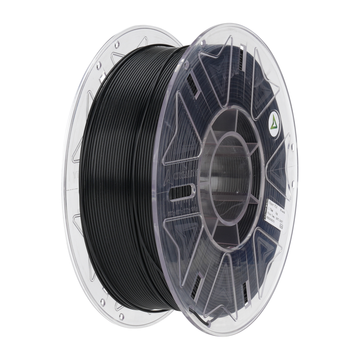
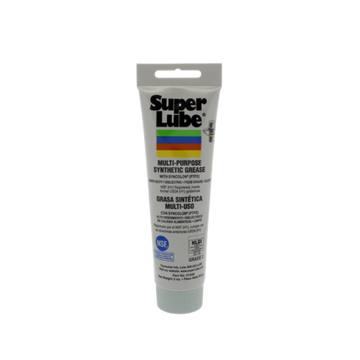
A €200 printer seems attractive until you have to buy extra nozzles, miss sensors, and unexpectedly replace a motherboard. Besides the purchase price, account for filament (€22–€30 per kilo of PLA) and at least one maintenance kit per year: nozzle, PTFE tube, gear grease, at €40. A 3D printer for beginners in the €350–€500 segment often already has hardened axes, silent stepper drivers, and spare nozzles in the box. That easily saves €150 in upgrades over three years that would still be necessary for an entry-level model.
Community and support
Even the best manual cannot compete with an active forum or a YouTube channel full of troubleshooting videos. Search for the model name combined with “issues” or “troubleshooting” and see if there are recent contributions. A 3D printer for beginners with broad community support gives you tutorials, tuned slicer profiles, and open-source firmware patches. AC PRODUCTS also offers its own profiles via Cura and PrusaSlicer: set it up, select filament, and start printing.
First day: How to avoid disappointments
Open the box, check all bolts for play, update the firmware, and first print the included test cube. Then measure sloped walls with a caliper; if the measurement deviates, adjust the steps-per-mm via the screen menu. Only when the printer delivers a perfect cube should you try your own designs. This calibration routine takes at most an hour, but saves days of debugging—a valuable tip for every 3D printer for beginners.
Conclusion: Choose wisely, print with pleasure
The market for entry-level machines is larger than ever, but a well-considered selection prevents your first printer from ending up in the closet out of frustration. Pay attention to build volume, community, automatic functions, and ease of maintenance to find the 3D printer for beginners that fits your goals. AC PRODUCTS supports you with material profiles, upgrade kits, and a helpdesk that also responds in the evening. This way, the step from idea to tangible object turns from an exciting adventure into a controlled success, ready to grow, layer by layer.


Leave a comment