


You know the scenario: a printed part that looks great but snaps as soon as pressure is applied. Classic PLA or PETG prints simply lack the stretch and cushioning required for bumpers, seals, or wearables. In those cases, TPU 3D filament is the solution. The material combines rubber-like elasticity with surprisingly high abrasion resistance, provided you properly align your printer, design, and slicer settings. In this article, AC PRODUCTS explains why TPU is so special, how to avoid typical pitfalls, and which applications directly benefit from its unique properties.
What makes TPU different from other polymers?
Thermoplastic Polyurethane is a family of plastics with variable hardness, measured in Shore A. Low Shore values feel like silicone rubber, while higher variants resemble tough nylon. Thanks to this range, TPU 3D filament is suitable for both splash-proof sealing rings and sturdy phone cases. The long urethane chains in the polymer form a resilient network upon cooling that absorbs shocks and springs back to its original shape after deformation. As a result, your print remains elastic without cracking or showing white stress lines.
Printer requirements and optimal settings
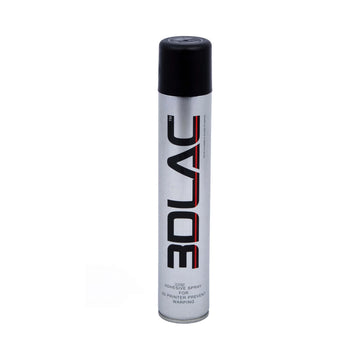
Not every FDM machine is plug-and-play for flexible material. A direct-drive extruder, where the drive wheels are positioned close to the hot-end, minimizes kinking in the filament path. If you are working with a Bowden system, choose a PTFE tube with minimal clearance around the TPU 3D filament and reduce the print speed to 20-35 mm/s. With softer Shore A types, faster printing leads to over-extrusion and accumulation around the nozzle. The hot-end temperature is generally between 215 °C and 235 °C; lower temperatures impair layer adhesion, while higher temperatures cause brown discoloration. The print bed benefits from 50 °C and a thin layer of PVA glue stick to prevent premature detachment.
Common issues resolved
Stringing occurs because the flexible wire continues to stretch when the extruder stops. Therefore, set the retraction length to 1-1.5 mm and the retraction speed to approximately 20 mm/s. A so-called “elephant foot” at the bottom indicates insufficient cooling: start with a fan setting around 30 percent. Warping is rare, but sometimes occurs with large, solid surfaces. In that case, a 15 percent gyroid infill helps to distribute stresses more evenly.
Design guidelines for flexible prints
The geometry determines whether a component springs back comfortably or becomes impractically flimsy. Wall thicknesses between 1.2 mm and 2 mm usually provide the best balance. In hollow structures, such as hoses, a minimum internal diameter of 3 mm prevents unwanted kink points. If you want to add screw holes, integrate brass inserts during printing: the hard metal absorbs the forces, while the TPU 3D filament forms an elastic sheath.
Cost versus durability
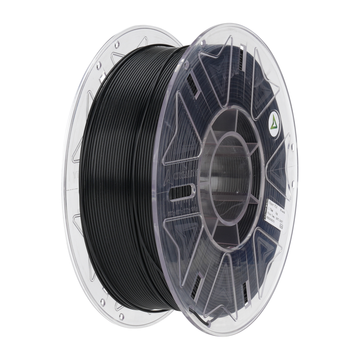
A spool of TPU is more expensive than PLA, but parts last significantly longer. You can print anti-slip feet for a CNC table once in TPU and only replace them after a year and a half of intensive use. The same foot in PLA would wear out within a few months. Because TPU 3D filament absorbs shocks, it also prevents consequential damage to electronics or housings. AC PRODUCTS supplies spools in 500g and 1kg, vacuum-packed with desiccant; this keeps moisture at bay and maintains print quality.
Practical maintenance tips
Flexible material is hygroscopic: it absorbs moisture from the air. Therefore, dry an opened spool for three hours at 50 °C before use. You can recognize a damp filament by hissing sounds and matte surfaces. After printing, you can smooth out any frayed edges with a heat gun at 200 °C. Paint adheres poorly; it is better to choose a spool in the desired color from the start.
An overview of reasons to choose TPU
- Shock absorption protects electronic modules and fragile sensors.
- Grip makes wheels, console joystick caps, and anti-slip feet durable and quiet.
- Chemical resistance to oils and greases extends the service life of machine seals.
- Weather resistance thanks to UV stabilizers in premium TPU 3D filament prevents rapid discoloration outdoors.
With this list in mind, it becomes clear why designers, makers, and engineers are increasingly choosing TPU.
Typical applications highlighted
Phone cases and smartwatch straps bend continuously; TPU prevents cracks in tight bends. In robotics, flexible gripper pads increase traction without damaging the printed object. Automotive development teams print temporary air hose seals to test prototypes quickly before ordering expensive injection molds. TPU 3D filament is even gaining ground in the medical sector: orthotic cushions and prosthetic liners benefit from its latex-free, skin-friendly properties.
Safety and environment
At correct print temperatures, hardly any vapors are released, although a well-ventilated workspace remains advisable. Modern TPU formulas contain no phthalates; they are hypoallergenic and suitable for applications close to the skin. Offcuts can be ground down and reused in a pellet extruder, making TPU a relatively sustainable choice compared to silicone molding or injection-molded TPE parts.
Conclusion
Anyone who needs parts that bend without breaking will end up with TPU 3D filament. It requires careful printer tuning, especially regarding speed and retraction, but the result is worth it: elastic, shock-resistant, and chemically robust prints that outperform PLA and PETG. With the premium spools from AC PRODUCTS and the guidelines in this article, you know exactly how to get the most out of this flexible powerhouse. Happy printing, and discover for yourself how TPU takes your projects to a more professional level.


Leave a comment