


Suppose you want to print parts that are not only sturdy but also flexible and shock-resistant. With TPU 3D filament, you can! TPU, or Thermoplastic PolyUrethane, is an elastic plastic that feels like rubber yet is sturdy enough for a wide range of applications. Think of shockproof phone cases, comfortable wristbands, or even cushioning parts for your model car. In this blog, you will read how you can get started with TPU without getting tangled up with your 3D printer.
Why choose TPU?
You might be asking yourself, “Why should I choose TPU 3D filament instead of PLA or PETG?” Simple: TPU is flexible, resilient, and often wear-resistant. The material doesn't just tear when you bend it; it springs back to its original shape. This is useful for parts that need to absorb impacts or that need to have a soft, comfortable feel. Moreover, TPU is highly resistant to oil and grease, which can be ideal for industrial and functional projects. All you need is some knowledge of the right printer settings.
Is TPU suitable for your printer?
Not every 3D printer likes working with flexible filaments. In particular, Bowden extruders (where the extruder motor is located at a distance from the nozzle) can sometimes cause problems, as TPU 3D filament can buckle in the long tube. A direct-drive extruder, where the motor is located directly above the nozzle, is less prone to this. Does this mean you cannot print with TPU using a Bowden system? Certainly not, but you often have to adjust the settings very carefully (lower speed, less retraction) to prevent clogs.
The most important slicer settings
When printing with TPU 3D filament, a slower pace is recommended, for example 20-40 mm/s. After all, the material is elastic and can compress in the extruder if you print too quickly. You also need to be careful with retractions: if you pull the filament back too far and too quickly, it can fold over itself and cause a clog. Start with a low retraction distance and speed, and adjust that gradually to counteract stringing. Furthermore, the print temperature for TPU is usually around 200-240 °C, but always check the specifications of the brand you are using.
Bed temperature and adhesion
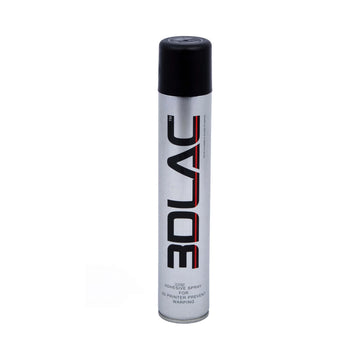
Just like with other filaments, printing with TPU is all about a good first layer. A bed temperature of 50 to 60 °C is often sufficient for stable adhesion. Some TPU filaments adhere perfectly well even without a heated bed, provided you have a suitable surface (for example, PEI or a lightly textured plate). Are you worried that your print will come loose? You could cautiously experiment with a little bit of glue stick or tape, but be aware that TPU sometimes adheres too well and then becomes difficult to remove. So, try a clean, warm plate first.
Design with an eye for flexibility
Do you want a very flexible end product? Then you can choose a thin wall and a low Shore hardness for the TPU 3D filament. The thicker the wall, the less flexible the result, but it will be sturdier. The infill also plays a role: with an infill of 10-20%, the print remains nice and light and resilient, while for heavier-duty applications, you can go a bit higher. Experiment with this until you find the perfect balance between suppleness and support. Also, keep in mind that sharp corners wear out or tear faster, so rounding them off can be useful in many cases.
Typical examples and applications
The applications for TPU 3D filament are endless. For example, manufacture a phone case that actually offers protection in the event of a drop, or a wristband that sits comfortably on your wrist. In model building, flexible parts (such as tires or shock absorbers) are ideal because they can absorb impacts. TPU prints are also useful in the sports world: think of protectors or grips that have a comfortable, tactile feel. The material is also resistant to oil and grease, which makes industrial use interesting, such as cushioning parts in machinery.
Common obstacles and solutions
You might notice some challenges when first printing with TPU 3D filament. For instance, there may be stringing: small threads between different parts of the print. In that case, you can work with a slightly lower temperature or shorter travel times, and adjust retractions carefully. Does your filament get stuck sometimes? Lower the print speed, check the extruder pressure, and make sure the Bowden tube (if you have one) is smooth and undamaged. Moisture in the filament can also cause print problems, so try to keep your spool stored in a dry place, such as in a resealable bag or a container with silica gel.
Printer maintenance
Because TPU is softer than PLA or PETG, some residue can remain in the extruder or nozzle over time. A cleaning filament or a short purge run helps to remove it. With Bowden systems, it is smart to check the Bowden tube for wear from time to time. A worn or dented tube can pinch the filament. Also, keep an eye on the extruder's tensioning wheels: if they are too tight, you will crush the filament.
Choose the right supplier
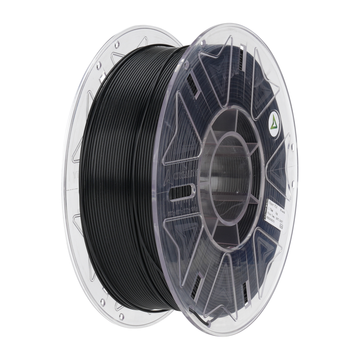
Not all TPU is the same. The Shore hardness can vary enormously, as can the processability. At AC PRODUCTS, we have various brands and types of TPU 3D filament. That means we can help you find the perfect match, whether you want an extra-soft filament for a protective case or a sturdy type for functional parts. We are happy to think along with you regarding the optimal print speed, extruder settings, and more. This way, you can switch effortlessly from PLA to TPU and quickly discover the countless possibilities of this flexible filament type.


Leave a comment