


A few years ago, purchasing an FDM machine was considered a hobbyist pursuit; today, it is a serious business decision that R&D teams, schools, and healthcare institutions use to shorten their lead times. At the same time, the pitfalls remain significant. If you choose too quickly based on promotional videos, an expensive machine will end up as a dusty mascot in the corner. In this article, you will discover how to approach buying a 3D printer: from material requirements to service contracts and everything in between. Every month, AC PRODUCTS tests new models in its own print lab; where possible, we share live data rather than empty marketing.
Start with the problem, not the price tag
Anyone looking to buy a 3D printer must first clearly define which problem the machine is intended to solve. A jewelry designer has different requirements than a technical service department printing spare clamps. Ask yourself three core questions: which material is functional and safe, how large is the biggest object you print frequently, and how much time should one job take? With these answers, you immediately filter out three-quarters of the excess supply.
Mechanics and build volume
The frame largely determines repeat accuracy. A Cartesian gantry is easy to adjust and acceptable for speeds up to about 120 mm/s. If you want more speed or a larger build area, a Core XY frame comes into play; the motor mass remains low, allowing for accelerations of up to 20,000 mm/s² without ghosting. Delta systems look futuristic and reach high speeds, but for that same reason, they also require more complex slicer profiles. Therefore, remember: the more exotic the mechanics, the more fine-tuning is required. Build volume is the second pitfall. "Bigger" seems attractive, but an XXL bed heats up slowly and increases the risk of warping. If you only occasionally print a part of 300 mm, modular expansion is often cheaper than immediately buying a giant 3D printer that will otherwise stand half-empty.
Hotend, extruder, and materials
Buying any 3D printer begins and ends with material compatibility. Almost every machine can handle PLA, but for PETG you already need a nozzle capable of 240 °C; for PA-CF or PC, you need 300 °C. Ensure that the maximum nozzle temperature is truly stable; a thermistor certified only for 260 °C will quickly drift at 280 °C. Furthermore, check if the hotend is all-metal; a PTFE lining degrades above 250 °C and causes clogs. Extruders come in two flavors. Direct-drive mounts the feeder directly above the nozzle and is ideal for TPU and other flexible filaments. A Bowden setup reduces moving mass, but can fold flexible material. If you are looking at a Bowden machine, ask for test prints with TPU before deciding.
Software and ecosystem
Hardware only shines if the slicer does its job well. Some brands provide their own slicer that is barely updated a year later. Therefore, check if the device has standard profiles in Cura, PrusaSlicer, or Orca. If not, expect a steep learning curve. At AC PRODUCTS, we provide a ready-made profile for every printer and every material that yields production-ready results in 80% of cases. You will find that a well-thought-out material profile is often more important than a high-tech extruder when you want to buy a 3D printer that provides a quick return on investment.
Bed adhesion and first-layer reliability
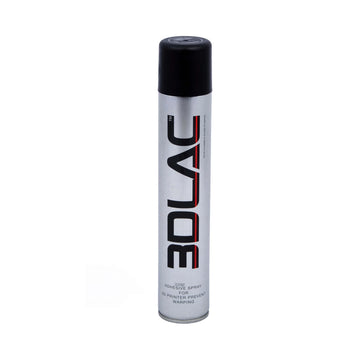
Nothing is more frustrating than a print coming loose after two hours. Glass plates provide a smooth surface but require glue or hairspray for PETG; PEI hides small irregularities and adheres well, but can sometimes grab too strongly with PETG. Choose a bed material that suits your standard filament; it is better to invest in one good flex plate than in twenty failed prints. Also, do not forget automatic bed leveling: an inductive or lidar sensor saves valuable setup time every week, especially if you frequently switch between PLA and PETG.
Maintenance, training, and service
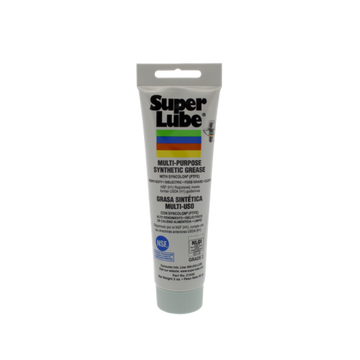
Buying a 3D printer without a maintenance plan is possible, but usually results in unexpected downtime. Plan to check belts every three months, lubricate bearings, and clean nozzles. When purchasing, ask if replacement parts are available within a week; an exotic nozzle with a six-week lead time will cost you more than it ever produced. AC PRODUCTS therefore offers a startup kit: spare nozzles, a silicone sock, cleaning filament, and a spray can of PTFE—everything you need to perform maintenance yourself in the first year.
Safety and environmental aspects
Printing with ABS or ASA produces ultrafine dust and VOCs. For office environments, a HEPA filter with activated carbon is a must; a machine without thermal runaway protection is even prohibited under CE directives. If you value sustainability, ask for refill spools. At AC PRODUCTS, we take back empty spools and supply PLA-Re, a biopolymer with 30% recycled content, so that buying a 3D printer remains a responsible move in environmental terms as well.
Cost: Purchase versus total ownership
Entry-level models seem cheap, but often have a failure rate of 15-20%. With every failed print, you are not just throwing filament in the trash, but also machine hours and salary costs. Therefore, calculate the Total Cost of Ownership: purchase price, depreciation, maintenance, energy, and material waste. In our TCO sheet, a Core-XY printer of €2,000 proves cheaper within ten months than a hobby model of €400, simply due to higher uptime and lower error rates. So, think twice before you go to buy a 3D printer based purely on the purchase price.
A summary: The purchase decision checklist
- Material compatibility confirmed? Hotend temperature, bed temperature, and enclosed chamber tailored to PLA, PETG, or engineering plastics you intend to use.
- Build volume sufficient in the long term? Avoid having to split objects or outsource prints later.
- Slicer profiles immediately available? Without good software, you will only achieve marginal progress.
- Maintenance parts available within seven days? Each week of extra downtime costs money and reputation immediately.
- Safety features present? Thermal runaway, HEPA filter, and reliable power supply prevent expensive incidents.
With these five questions, you eliminate most bad buys and turn "buying a 3D printer" into a well-considered decision.
Case study: Custom orthopedics
An orthopedic lab wanted to produce ankle and wrist splints from TPU and nylon weekly. The requirements: 250 mm build volume, 50 °C enclosed chamber, 0.6 mm nozzle, validation log for traceability. After a live demo, they chose an enclosed Core-XY with Klipper firmware. The learning curve was three weeks; after that, the lead time from prototype to final product dropped from ten to three days. The TCO sheet showed that buying a more expensive, industrial 3D printer was cheaper within eleven months than external printing, even with a modest order volume.
Conclusion: Investing in certainty
Buying a 3D printer is not an impulse purchase but a strategic project in which application, ecosystem, and service go hand in hand. Define the print objective, choose the right motion system, assess the material range, and ensure solid software support. Include maintenance and safety requirements in the budget immediately, calculate the TCO, and benefit from a steep ROI. Do you want to test your choice with evidence? AC PRODUCTS provides demo units and live guidance so that you can see for yourself how the machine performs with your files and filament. This way, you make every layer, every hour, and every euro a guaranteed success.


Leave a comment