


You want to get started with a 3D printer for beginners because you want to move quickly from idea to part. That is a smart approach, provided you determine in advance exactly what you are going to make, for whom, and in what quantities. Without a goal, you will get bogged down in settings, profile variations, and materials that you do not need at this moment. Choose one or two simple cases to start with, such as a cable clamp or a jig. Formulate a measurable result for each case, for example, a maximum lead time and a tolerance for a hole or fit. This keeps you focused, allows you to see progress, and enables you to improve in a targeted manner.
Plan your learning path, not just your purchase
The biggest pitfall is starting with a 3D printer for beginners without a learning path. In the first month, reserve short blocks for calibration, material tests, and documentation. Work with a logbook where you note the nozzle, temperature, speed, and cooling, and link that to photos of the first layer and the visible side. That may sound academic, but it yields immediate time savings. After a week, you will recognize patterns, and after a month, you will have a handful of profiles you can rely on.
Choose hardware based on process, not marketing
Choosing a 3D printer for beginners based solely on speed or build volume is tempting. However, it is the sum of a rigid frame, repeatable calibration, reliable motion, and stable material throughput that determines whether you get parts that fit. Pay attention to: how first-layer compensation is handled, how accessible maintenance points are, and whether you get predictable results at higher accelerations. Ask for real examples in your type of material, not just showroom prints. A machine that starts easily today but is impossible to maintain tomorrow will cost you more time than you save.
The first layer is sacred
Without a perfect first layer, you rarely get a perfect print. Even on a 3D printer for beginners, this is the most important step. Take the time for bed leveling, nozzle-Z height, and a clean build plate. Start with a calibration pattern, examine edges and fill pressure, and adjust the flow slightly if necessary. Avoid shortcuts like an overly low layer height to force adhesion; that masks the real problem. If the first layer is consistently clean, failed prints decrease, and your confidence with every job increases.
Temperature, filament, and moisture
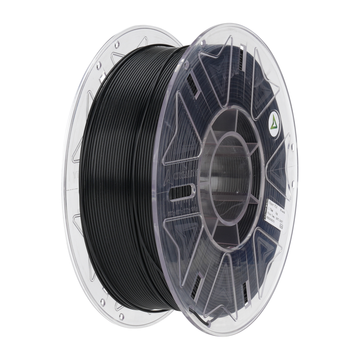
Many beginners blame the machine, while the material condition is the culprit. Even the best 3D printer for beginners produces substandard layers if filament has absorbed moisture or if temperature profiles are incorrect. Store spools in a dry box, label them with date and material, and test unknown brands with small coupons. Start with PLA or PETG before moving on to more technical polymers. Set nozzle and bed temperatures to the middle of the recommended range and then vary in small steps. This keeps you in control.
The 10 classic mistakes you can avoid today
Most problems can be traced back to a predictable list. Here they are, with the shortest route to improvement.
- Trying to print too fast: only increase acceleration and jerk after dimensional stability is proven.
- Forgetting to version-control profiles: save every change with a date and a brief note.
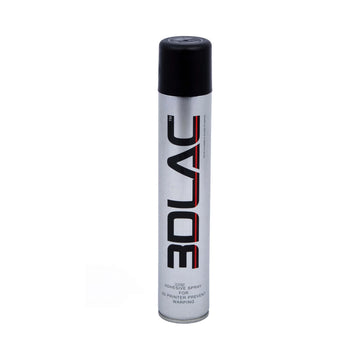
- Not degreasing the build plate: use a suitable agent and avoid greasy fingerprints.
- Insufficient cooling for small details: reduce speed per layer or add a cooling pause.
- Supports that are too aggressive: choose lines and density that provide just enough support and test the breaking direction.
- Wall thickness and nozzle not matched: work with multiples of the line width.
- Too big of a jump to a new material: change one variable at a time and log the effect.
- No measurements: check three fixed dimensions per batch so you can adjust based on data.
- Too little attention to orientation: rotate the model so that forces in the Z-direction are favorable.
- Unstable environment: avoid drafts, temperature spikes, and vibrations around the printer.
Slicing is about choosing
Slicing software offers hundreds of settings, but only a handful really drive quality. Even with a 3D printer for beginners, you can achieve professional results by making the right trade-offs per application. For visual parts, choose thinner layers, lower speed, and extra outer walls. For functional parts, it is about dimensional accuracy, adhesion, and targeted infill. Start with a reliable base profile, create a copy for each part type, and change no more than two parameters per iteration. Less clicking, more consistent output.
Safety and work environment
A 3D printer for beginners is not a toy. Ensure ventilation, keep flammable materials at a distance, and do not leave the machine running unattended during the first long jobs. Use a smoke detector in the room, place the printer on a stable surface, and keep cables and spools organized. Safety sounds boring, but it is the fastest way to run for hours without worry while you work on other things.
Help and setup with AC PRODUCTS
You do not have to do this alone. At AC PRODUCTS, we translate your goal into a concrete setup, including profiles per material, light quality control, and a maintenance rhythm that you can actually sustain. Whether you use a 3D printer for beginners for prototypes or for small series, we help you make the right choices in nozzle, build plate, filament, and ventilation. You get documentation that works in practice, not a paper tiger. This way, printing becomes a predictable part of your process, not a gamble.
Conclusion: Steady pace, fast results
Success in 3D printing does not come from one setting, but from a series of small, consistent choices. If you start with a 3D printer for beginners based on clear goals, a strict first-layer ritual, controlled material selection, and a light maintenance schedule, you will grow quickly without noise. You save time, increase quality, and stay in control of your schedule. And that is exactly the promise: parts that do what they are supposed to do, when you need them.
For more information and customized solutions, please visit AC PRODUCTS.


Leave a comment