


Anyone who wants to print beautiful parts will soon discover that temperature management makes the difference between a neat print and a part that frays, warps, or detaches. With Creality filament, you achieve stable results, provided that nozzle, bed, and ambient temperatures are in balance. Temperature determines adhesion, detail reproduction, and dimensional accuracy. One degree too low and layers will not adhere sufficiently. One degree too high and you will see strings, elephant's foot, or loss of detail. This article provides a practical approach to predictably tune Creality filament to your printer and application, without endless trial and error.
Material behavior in brief
Every material has a glass transition and a melting range. Within that window, the filament must flow smoothly from the nozzle and immediately solidify enough to support the shape. For Creality PLA filament, this generally means lower nozzle temperatures and robust part cooling. PETG requires slightly higher temperatures and less cooling for good layer adhesion. ABS or ASA require a warm environment to prevent warping. TPU prefers steady movement and stable, not-too-high heat. Think in temperature ranges and test per roll: color pigment and batch influence the ideal setting. A simple temperature tower with 5-degree steps shows you in a single print where gloss, detail, and adhesion meet.
First layer: The basis of adhesion
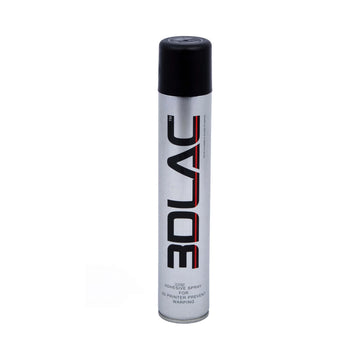
The first layer determines 80 percent of your final result. Therefore, take care of the mechanical foundation: a level bed, correct Z-offset, and a clean surface. For Creality filament, print the first layer slightly warmer than the rest and reduce the speed. This allows the thread to flow out just a little more and adhere better. Glass gives a smooth underside, PEI a slightly matte one. For PETG, PEI is fantastic, but use part cooling sparingly to limit shrinkage stress. A thin layer of glue or a clean PEI plate prevents PETG from sticking too hard and causing damage during removal. For larger footprints, a brim helps secure the edges, especially with materials that tend to curl.
Cooling adjusted to the material
Cooling is not an on/off switch but a slider. PLA benefits from powerful part cooling for sharp corners and bridges. PETG prefers less cooling, otherwise dull spots and brittle layers may occur. ABS and ASA require minimal cooling and a warm environment. With Creality filament, you will notice it quickly: too much air leads to delamination and too little air causes sagging bridges. Start with material-specific guidelines and then refine per model. A small test with a bridge model or a 45-degree overhang will show you in ten minutes if the airflow is correct.
Nozzle, flow, and speed: The right balance
Temperature works in tandem with flow and speed. If the temperature is correct but the flow is too high, details soften and holes become smaller. Too low in flow and you see under-extrusion and matte, rough walls. For Creality filament, it is wise to perform a short flow calibration per nozzle size using a single-walled cube. Couple your findings with speed: higher speeds require more heat transfer and sometimes a smaller layer height for reliable adhesion. Reduce retractions for PETG to minimize stringing and increase travel speed to avoid strings. If stringing persists, lower the temperature in small steps or adjust coasting. Always note one change at a time, so you know what works.
Environment and hardware: Hotend, bed, and enclosure
Your hardware determines how stably you can maintain temperature. An all-metal hotend supports higher nozzle temperatures and is less sensitive to heat creep during slow prints. A well-insulated bed heats up faster and remains evenly warm to the corners. And a simple enclosure, even if made of panels or a tent, keeps the ambient temperature stable for ABS or ASA. With Creality filament, you see the effect immediately: less deformation, tighter corners, and less variation in the layer lines. Do check that the electronics are sufficiently cooled and ensure that hoses and cables move freely at higher ambient temperatures.
Moisture and storage: How to keep filament dry
Filament is hygroscopic. Absorbing moisture leads to sputtering at the nozzle, matte surfaces, and weaker layers. Therefore, store Creality filament in a dry box with silica packets or in a sealable container with a simple drying module. If the roll feels damp, dry it in a controlled environment at a low temperature suitable for the material. After drying, your prints will be noticeably cleaner: fewer micro-bubbles, less roughness, and more constant extrusion. Label rolls with dates and usage notes, so you know which setting was the winner last time.
Quick troubleshooting: From complaint to approach
- Poor layer adhesion or fracture lines: increase the nozzle temperature slightly or reduce cooling.
- Curling corners or warping: increase bed temperature, use a brim, and keep the environment warmer.
- Stringing and webs: lower the temperature step by step, increase travel speed, and optimize retraction.
- Dull, rough walls and crackling: dry the roll and check the flow for under-extrusion.
- Elephant's foot at the bottom: lower the bed temperature after the first layers or activate a small elephant's foot compensation.
- Sagging bridges and drooping overhangs: increase part cooling and slightly lower the speed for bridge sections.
Conclusion: Reliable results with AC PRODUCTS
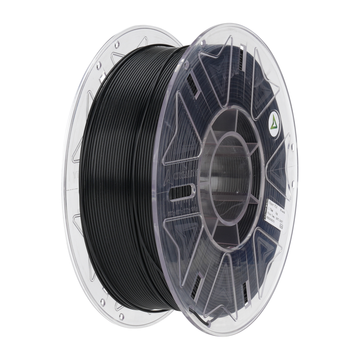
You don't need to experiment for hours to get consistent prints. With a clear tuning sequence, you'll get there quickly: first the first layer, then cooling and temperature, then flow and speed, and finally the environment. By working this way, Creality filament reaches its full potential, and you build your own recipe per material and per roll. Whether you want to test new colors or materials, or are looking for advice on difficult geometries, AC PRODUCTS helps you with practical settings, suitable nozzle choices, and tips for storage and maintenance. This makes printing predictable, keeps waste low, and lets you see exactly why Creality filament is so often the safe choice for clean, strong, and reproducible work.


Leave a comment