


Imagine four young engineers in a small workshop in Shenzhen. They are tinkering with an old 3D printer that spends more time rattling than printing. Their conclusion: this can and should be simpler. That is how Creality was born. Their mission was clear: build a reliable printer that you can afford, unpack, and put into use within an hour without having to pore through six Reddit threads first. Ten years later, millions of Creality machines are on desks, workbenches, and in classrooms worldwide. The brand is considered the entry-level standard: affordable, modular upgrades, open-source software, and a community that provides the answer before you’ve typed the question.
Why choose Creality?:Affordable innovation
An average Creality costs less than five hundred euros and offers features that until recently were only found on professional machines: quiet TMC drivers, a heated PEI bed, and a 32-bit controller.
Open to everyone
No mandatory brand-specific slicer or licenses. You simply download Cura, PrusaSlicer, or Orca, select the Creality profile, and print. This makes tuning not a chore, but an afternoon hobby.
Grows with you
Do you want to install a direct drive extruder, dual Z spindles, or even Klipper firmware later? All parts are available separately and can be installed with just a screwdriver.
The Ender series: Friendly giant on your desk
Ask in a maker forum about “the first printer” and nine out of ten will mention the Ender 3. Take the latest Ender 3 V3 KE: 300 mm/s, direct drive, LiDAR bed leveling, flex plate—everything you wish for at an entry-level price. AC PRODUCTS printed a Benchy out of PLA in nine minutes on it. No ghosting, no spaghetti. And because the Sprite hotend can handle 260 °C, you can switch to PETG or TPU without any modifications. This way, you discover what is possible in a weekend, instead of struggling for weeks with first-layer fails.
Ready for the next step? Check out the K and CR lines
Perhaps you want more: ABS enclosures, Nylon gears, or carbon-filled filament. The Creality K1 and CR 10 Smart Pro deliver a closed build chamber and an all-metal hotend up to 300 °C. The K1 combines this with Klipper-like input shaping, so that higher speeds do not lead to wobbly walls. At a technical school, ten K1 units ran nylon projects for an entire semester; malfunctions? Zero.
Software that doesn't get in the way
You buy hardware, but software can make or break the workflow. Creality Print, their proprietary slicer, is a Cura fork with extras like automatic support, variable layer height, and cloud queueing. Great for beginners, but advanced users can easily switch to Klipper or OrcaSlicer. Your G-code remains yours; telemetry only sends back anonymous error logs when you actively check that option.
A checklist and you're set
Before you proceed with a purchase, it is worth checking off five practical points. First, consider which materials you will actually be printing; PLA is sufficient for models, but PETG, TPU, or ABS place higher demands on the hotend and the heated bed. Next, look at the build volume: for eighty percent of projects, 220 × 220 mm is flawlessly sufficient, while an XXL plate takes significantly longer to heat up and cool down. Ask yourself what is more important: absolute print speed or the quietest possible workspace, as a lightning-fast Core XY makes more noise than a classic bed slinger at 60 mm/s. Check if wear parts such as nozzles and PTFE tubes are available locally; downtime of weeks ultimately costs more than the device itself. Finally, the safety check deserves attention: choose a model with reliable thermal runaway protection, a grounded power cable, and, when using ABS, an exhaust filter to remove fumes. With these five considerations, you will make a future-proof choice in one go.
Real-world stories from the field :Rapid prototyping agency
Four Ender 3 S1 Pros are printing TPU phone cases. Due to the low price, they transitioned to a “print farm” within months: ten machines running in parallel. Run time per case: 2 hours. Annual depreciation? Lower than their old vacuum former.
Education
Twenty K1s run nonstop at the media school. Students upload via the cloud, the teacher approves with one click, done. The school saves a thousand euros a year on failed prints thanks to automatic bed leveling and filament detection.
Hobby photographer
He uses a CR-10 Smart Pro to print lens mounts from PETG. Build volume 300 mm high: all segments fit in one job, no glue seams. Material costs: a tenner. Retail price: over a hundred.
Maintenance without a soldering iron
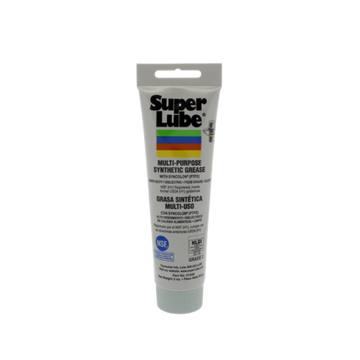
New Creality models indicate when the rails need some lubrication or the nozzle requires a cold pull. QR videos show step-by-step what you need to do. AC PRODUCTS provides a starter kit with every printer: spare nozzles, silicone sock, PTFE spray, cleaning filament. If you print 5 kg per month, you will spend less than an hour per quarter on maintenance.
Safe and greener
Safety logic is standard: dual thermistors, power-loss recovery, and, for enclosed models, failure protection for the chamber heater. Combine this with PLA-Re refill spools; if you send back empty spools, you receive a discount and your carbon footprint drops noticeably.
What AC PRODUCTS adds
- Live demo: come by and print your own STL.
- Custom profiles: PLA, PETG, Nylon-CF, already pre-calibrated.
- Remote assistance: every Tuesday and Thursday, we watch along via Teams.
- Trade-in: hand in your old printer and get a discount on a new Creality.
Conclusion: A logical choice for beginners and those growing
Whether you are taking your first step into 3D printing, want to inspire a class full of students, or build a print farm: Creality delivers the tools, the community, and the expandability to see results quickly. Stop by AC PRODUCTS, feel the flex bed, start a print, and see a perfect Benchy appear after ten minutes. Then you will know why millions of makers, from hobbyists to engineers, start with Creality and often never switch to anything else.


Leave a comment