


Imagine being able to create all sorts of objects at home, exactly as you have them in mind. Perhaps you want a handy holder for your phone, spare parts for your bike, or a cool piece of art to serve as a centerpiece. With a 3D printer, it is all possible. Still, getting started can feel a bit daunting, especially if you wonder whether a 3D printer for beginners might be too complicated. The good news: technology has advanced to the point where even someone without a technical background can achieve great results. In this blog, I would like to provide some practical tips to help you get off to a smooth start.
How do you make the right choice in printers and filaments?
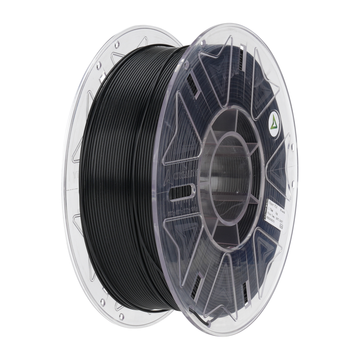
If you are starting out with a 3D printer for beginners, it is smart to first determine what you want to use it for. Are you mainly going to print small decorative items, or do you plan to make functional parts that can withstand some wear and tear? Most beginners choose PLA filament because it is easy to print, produces less odor, and comes in many fun colors. If you want stronger or more heat-resistant material, you could look at PETG or ABS, for example. Do keep in mind that these filaments require higher temperatures and sometimes demand a bit more experience. At AC PRODUCTS, we are happy to help you think about which material best suits your needs.
The first steps with your 3D printer for beginners
When you receive your printer, it is useful to read the manual carefully and assemble everything step-by-step. A 3D printer for beginners sometimes comes as a kit, but the assembly is often quite simple. When assembling, pay attention to the alignment of the axes and ensure all cables are in the right place. Afterward, it is good to "level" the print bed so the printer can lay down the first layer nice and evenly. If this isn't done correctly, the model sometimes comes loose during printing. A sturdy foundation is therefore important for the entire printing process.
Models and software: How does it work exactly?
To print something, you need a digital 3D model. This could be something you find online—there are plenty of websites where people share their creations—or something you design yourself with 3D modeling software. Looking for ease? You can easily start with existing designs. Before you actually print, "slicer" software cuts your model into thin layers and converts them into instructions for your 3D printer for beginners. Well-known programs like Cura or PrusaSlicer often have standard settings for popular printer models, which makes things a lot easier for you. This allows you to quickly conjure up your first objects without endless fiddling.
Common pitfalls and solutions
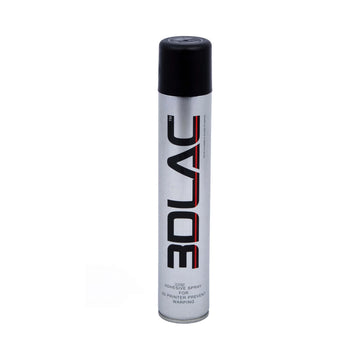
A well-known issue with a 3D printer for beginners is the first layer not adhering properly. This can cause the print to come loose or start curling (warping). The solution? Regularly check if the print bed is level, and experiment with a layer of glue, masking tape, or a specially designed print bed sticker to improve adhesion. In addition, the temperature setting of your extruder or print bed can play a role. It is normal to have a failed print now and then in the beginning, but don't let that discourage you. It is precisely by discovering what goes wrong that you learn how to improve the quality of your prints.
Keep your printer in top condition
Like any other device, a 3D printer for beginners needs some maintenance. Think, for example, of removing residual filament in the extruder and regularly checking that the moving parts run smoothly. It is also smart to keep your filament dust-free and dry, as damp wire can negatively affect print quality. Furthermore, it is wise to place the printer on a stable, level surface, preferably in a well-ventilated room. This prevents flying dust or temperature fluctuations from ruining your print. And don't worry: this kind of maintenance is usually very straightforward and requires little time.
Inspiring projects and ideas
Once you get the hang of it, a whole world opens up to you. A 3D printer for beginners is not only fun for small gadgets or jewelry, but can also create functional parts. Think of replacement clips for your kitchen cabinets, a phone holder that fits perfectly on your desk, or even a fun toy for the kids. If you are creatively inclined, you can convert your own drawings or sketches into 3D designs. Also useful: if a knob breaks off a device, you can often print a new one yourself instead of having to order an expensive replacement. This saves money and is sustainable as well.
Tips for lasting printing fun
If you want to enjoy your 3D printer for beginners for a long time, there are a few points to keep in mind:
- Store filament in a dry place: Moisture can affect the quality of the material.
- Experiment at your own pace: Start with standard settings and step-by-step you can try out different speeds, temperatures, and materials.
- Take notes: If you have found a good configuration, write it down so you can use the same settings again later.
- Join a community: Both online and offline, there are groups of enthusiastic makers who share tips and experiences. This can inspire you and help if you have questions.
This way, you make 3D printing not only educational but also sustainable and fun for the long term.
Conclusion: Your own ideas come to life
Thanks to user-friendly models, clear software, and a lively 3D printing community, you can make quick progress. AC PRODUCTS is always ready to help you choose the right printer and materials so you get off to a good start. Don't be deterred by those first failed attempts—they are simply part of the process. Every print teaches you something about what you can and cannot do with your 3D printer. And there is nothing like the moment you hold your own design or a handy utility item in your hands for the first time. So go ahead and experiment, don't be afraid to make mistakes, and discover how fun it is to see your own creations come to life, layer by layer. Have fun with your 3D printer for beginners!


Leave a comment